

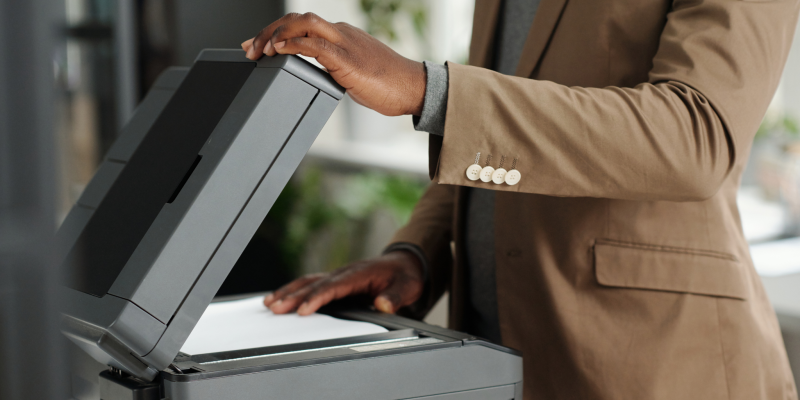
When to Replace an Office Copier: 5 Signs It May Be Time
Published on: February 19, 2026
Very rarely does an office copier completely fail without giving you some warning signs beforehand.
A repair here. A delay there. Supplies that seem to run out faster than they used to. Over time, these small frustrations begin to affect daily printing. Many businesses continue using the same copier simply because it still turns on, and that means avoiding a new device. That is understandable. Replacing equipment is not always top of mind, or top of budget. Still, there are moments when reviewing your current device that can save time, reduce cost, and improve workflows through the office.
Here are five common signs that it may be time to consider replacing your office copier.
Repairs Are Becoming More Frequent
Service is normal for any device and may occur regularly, especially for copiers that print large volumes each day. Problems begin when technicians must visit your office to replace broken parts or reconnect the device repeatedly. Downtime interrupts daily tasks and creates uncertainty and anxiety for your team.
At a certain point, the cost of continued repairs becomes more expensive than replacing the device. A newer system can restore reliability and reduce the stress that comes with wondering when the next issue will pop up.
Supply Costs Continue to Rise
Older copiers often use toner less efficiently than modern devices. Supplies may also become harder to find as models age, including replacement parts. We sometimes see situations where devices that five to seven years are old are no longer supported by the manufacturer with available parts.
Many businesses focus only on the purchase price of a copier. The real expense, however, is the ongoing monthly cost of toner, service, and lost time, especially with an inefficient device. When supply spending continues to increase without a clear reason, it is usually a sign that the device is no longer operating efficiently.
Reviewing total print cost rather than just supply orders can provide helpful clarity. In many cases, a newer system lowers the overall monthly expense, particularly when paired with a lease or managed print agreement.
The Device Lacks Modern Scanning and Workflow Features
The way offices handle documents has changed significantly in recent years. Scanning to email, saving to cloud storage, and organizing files digitally are now common daily tasks for most office multifunction devices.
Older copiers may still print and copy well, but they often struggle to support simple digital workflows such as cloud faxing. Employees may rely on extra steps like manual file naming, repeated scanning, or moving documents between systems.
Modern devices are designed to simplify document movement. When scanning and sharing information becomes faster and more consistent, your team spends less time managing workflows and more time focused on meaningful work.
Security Features Are Outdated
Many people do not realize that office copiers connect directly to the network and are just as vulnerable as any other endpoint device. Because of this, security features matter just as much as the protections on your phone or laptop.
Older devices may lack user authentication, the ability to permanently remove stored information from the device, or current firmware protection. This means your network and sensitive information may be exposed.
Newer copiers are built with stronger security controls that align with current IT and compliance expectations. Even a simple review of existing settings can reveal whether a device still meets today’s standards and helps keep your business protected.
Understanding that printers and copiers are an important part of your overall IT environment can make the difference between keeping data secure and experiencing a security breach.
The Manufacturer No Longer Fully Supports the Model
Every copier eventually reaches a point where manufacturer support becomes limited. Replacement parts may take longer to arrive or may no longer be available. Firmware updates can also stop, which may leave the device more vulnerable to security risks.
This stage does not always mean the copier stops working right away. It does mean reliability becomes harder to maintain over time.
Many businesses continue using a device longer than they should because it still functions. The risk is what happens next. If a critical part fails and cannot be replaced, your ability to print, scan, or copy could be unavailable for an extended period. Planning an upgrade before support ends keeps you from worrying about this potential disaster situation.
A Simple Review Can Provide Clarity
Not every copier needs to be replaced. Some devices continue to perform well for many years with the right maintenance and supply management. The key is understanding where your current equipment stands today and how quickly something can be repaired if the device goes down.
Taking time to review the age of your device, current service history, and total monthly print costs can provide a helpful perspective. In many cases, small adjustments extend the life of a copier. In other situations, planning ahead prevents larger disruptions later on for your business.
The goal is not to replace equipment unnecessarily. It is simply to make informed decisions before small frustrations turn into larger problems. When you understand your options, you stay in control of the timeline instead of reacting to an emergency.