

Microsoft 365 Apps Explained: The Questions Every Business Actually Asks
Published on: June 15, 2026
Most small businesses are either paying for Microsoft 365 features they never use or missing tools they actually need. Neither is a great outcome.
Part of the problem is that Microsoft’s naming convention does not tell you much. Basic, Standard, and Premium sound like hotel tiers, but when you compare Microsoft 365 Business Basic vs. Standard vs. Premium, the differences in what you actually get can have a significant impact on productivity, security, and cost.
This guide breaks down each plan in plain language. By the end, you will understand what each option includes, who it is designed for, and which plan is likely the best fit for your business. If you are still learning what apps like Teams, SharePoint, OneDrive, Intune, and Defender actually do, be sure to check out our Microsoft 365 Applications Explained guide for a complete overview.
Microsoft 365 Business Basic vs. Standard vs. Premium: What Is the Difference?
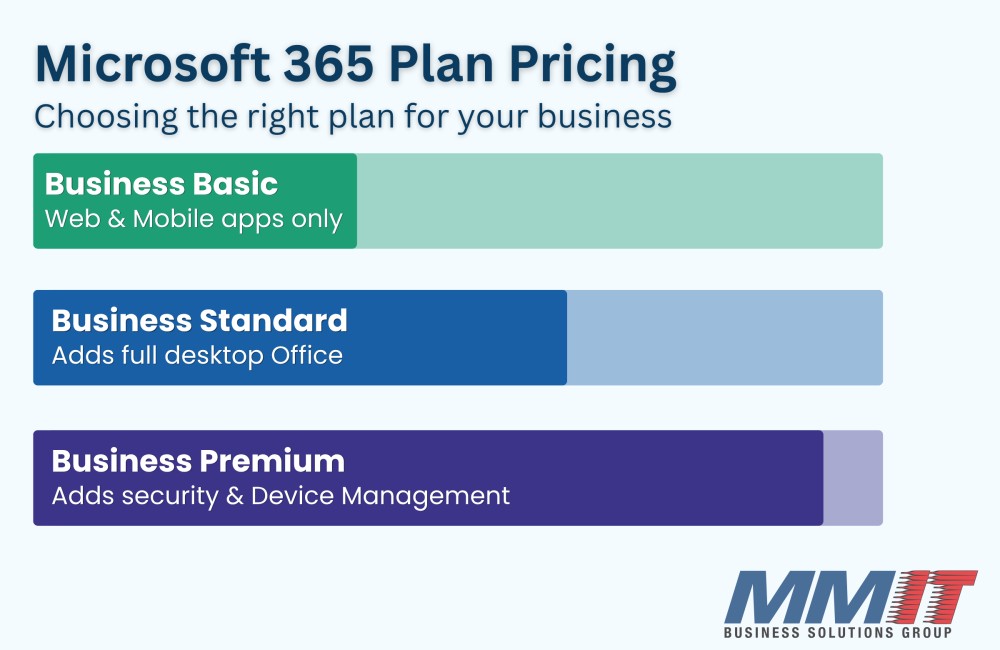
Microsoft offers three primary business plans for organizations with up to 300 users:
| Application | Business Basic | Business Standard | Business Premium |
| Desktop Office Apps | No | Yes | Yes |
| Outlook Email | Yes | Yes | Yes |
| Teams | Yes | Yes | Yes |
| OneDrive | Yes | Yes | Yes |
| SharePoint | Yes | Yes | Yes |
| Defender for Business | No | No | Yes |
| Intune | No | No | Yes |
| Entra ID P1 | No | No | Yes |
| Best For | Light users | Most businesses | Security focused organizations |
All three plans provide access to Microsoft’s core collaboration tools. The biggest differences come down to what applications your team needs for workflow, and the information your business needs to protect.
Microsoft offers three primary business plans for organizations with up to 300 users:
Microsoft 365 Business Basic: Who Is It Actually For?
Business Basic is the lowest monthly cost per user and includes Exchange email, Teams, OneDrive, SharePoint, and web-based Office applications.
For the right employee, it can be an excellent value.
A receptionist who primarily checks email, a field technician who accesses information from a mobile device, or a part-time administrative employee may never need the desktop versions of Word, Excel, or PowerPoint. In those situations, Business Basic can keep costs down without sacrificing productivity.
Where businesses run into trouble is when they put everyone on Basic simply because it is the cheapest option. Many employees (who wouldn’t be dealing with lists or numbers) may even want Excel to stay organized with tasks or use Word to jot down notes. Those users often become frustrated when they are limited to browser versions of the applications or are asked to pay more when they open any of these applications on a desktop.
A common misconception is that every employee must have the same license. That is not true. Microsoft allows businesses to mix licenses based on job responsibilities, which is often the most cost effective approach, especially for small businesses.
Best for: Remote workers, light users, nonprofits, and employees who primarily work in a browser.
Not ideal for: Employees who regularly use Word, Excel, PowerPoint, or Outlook on their computer.
Microsoft 365 Business Standard: The Workhorse Plan
For most small and midsize businesses, Business Standard is the sweet spot.
Standard includes everything in Business Basic plus desktop installations of Word, Excel, PowerPoint, Outlook, and other Microsoft applications. Each user can install Office on multiple devices, making it much more flexible for day-to-day work, especially if they work from multiple locations.
There is an increased cost compared to Business Basic, but for most office employees, that investment quickly pays for itself through improved productivity and fewer day to day frustrations. Business Standard also includes several valuable tools that many organizations overlook.
Microsoft Bookings can help automate appointment scheduling. Teams webinar capabilities can support external meetings, training sessions, and virtual events. Forms makes it easy to create surveys, requests, and internal questionnaires about preferences of your employees.
Some businesses are already paying for third-party software that overlaps with tools included in their Microsoft subscription. From a workflow and cost standpoint it makes sense to transition those tools to the Microsoft application.
Best for: Most businesses that need common desktop Office applications and collaboration tools.
Not ideal for: Organizations with elevated security requirements, compliance obligations, or large numbers of remote devices.
Microsoft 365 Business Premium: When Security Matters
Business Premium builds on everything included in Business Standard and adds Microsoft’s advanced security and device management tools.
Premium is the most expensive of the three plans. However, it is often the best value for organizations that need stronger protection.
Business Premium includes:
- Microsoft Defender for Business
- Microsoft Intune
- Microsoft Entra ID P1
- Advanced security policies and controls
These tools help businesses secure company devices, enforce security policies, support remote users, and reduce the risk of cyberattacks. While Business Premium does come at a higher cost than Business Standard, many organizations find that the included security and management tools can offset that investment by replacing other tools your business may be paying for.
There are a few signs that typically indicate a business should strongly consider Premium:
- Employees use personal devices for work
- Staff regularly work remotely
- Customer financial information is stored
- Sensitive employee records are maintained
- Compliance requirements exist
- The business has experienced phishing attempts or security incidents
If any of those situations sound familiar, Premium is often the better long-term choice. Many business owners assume cybersecurity requires a collection of separate software products. In reality, much of that protection may already be available through the right Microsoft 365 plan. While the cost of adding protection may seem high, the cost of repairing damages after a cybersecurity attack can be much higher.
If you want the short answer, here is a simple guideline:
Choose Business Basic if:
- Employees mainly use email and web applications
- Desktop Office apps are not required
- Cost reduction is the primary goal
Choose Business Standard if:
- Employees regularly use Word, Excel, Outlook, or PowerPoint
- You want the best balance of cost and functionality
- Your business operates like a typical office environment
Choose Business Premium if:
- Security is a major concern
- Employees work remotely
- Sensitive customer or employee data is stored
- You need device management and advanced protection
For most businesses, Standard is the starting point. Premium becomes the logical next step when security and compliance requirements increase.
What About Microsoft 365 Apps for Business?
There is one additional option worth mentioning.
Microsoft 365 Apps for Business costs about the same as Business Basic on a per user, per month basis and includes desktop versions of Microsoft Office applications along with OneDrive cloud storage.
**What it does not include is a Exchange email domain or Microsoft Teams**
This plan can make sense for organizations that already use another email platform but still want access to the Microsoft Office desktop suite. For most businesses starting fresh with Microsoft 365, Standard is usually the more complete solution.
Nonprofit Pricing: A Benefit Many Organizations Miss
If your organization qualifies for Microsoft’s nonprofit program, the savings can be substantial. (https://www.microsoft.com/en-us/nonprofits/dynamics-365)
Business Basic is available at no cost for eligible nonprofits.
Business Standard and Business Premium are also heavily discounted compared to standard commercial pricing. Many nonprofits never realize these programs exist and end up paying more than necessary. It is worth verifying eligibility before selecting a licensing plan.
Choosing the Right Microsoft 365 Plan
The best Microsoft 365 plan is not necessarily the cheapest option or the most expensive one.
The right choice is the plan that matches how your team actually works and what your business needs to protect.
Many organizations are surprised to learn they are either paying for features nobody uses or missing capabilities that could improve productivity and security.
If you are not sure which Microsoft 365 plan your business is using today, or whether it is still the right fit, MMIT can help. As part of our Managed IT Services, we help Central Iowa businesses evaluate licensing, improve security, and make sure technology investments align with business goals.