

MMIT College Hoops Watch Party
MMIT College Hoops Watch Party Published on: March 12, 2026 Join US at MMIT! The...


Print management isn’t just about your printers. Systems like PaperCut help you track usage, set print policies, control color costs, and improve security across every device in your office. With easy reporting and automated rules, you can reduce waste, route jobs to the right printers, and give your team a smoother, more efficient print experience.
Tools like PaperCut and Sharp’s serverless print release help your business limit unnecessary color prints, route jobs to the most efficient devices, and stop waste before it happens.
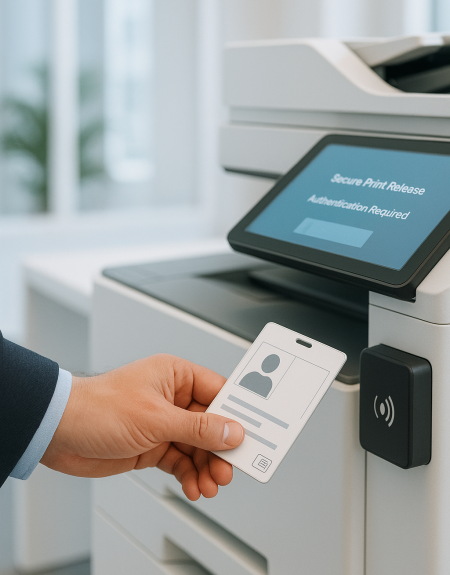
Tools like user authentication and secure print release protect sensitive information and prevent documents from sitting on trays.
See who is printing, how much, and where your budget is going. Clear reporting helps you make better decisions across your entire print fleet.
Encourage duplex printing, set responsible print rules, and keep supplies under control so your office uses less paper and toner.
Centralized monitoring helps you spot issues early, reduce downtime, and keep your team working without interruption.
Tools like PaperCut and Sharp’s serverless print release help your business limit unnecessary color prints, route jobs to the most efficient devices, and stop waste before it happens.
Tools like user authentication and secure print release protect sensitive information and prevent documents from sitting on trays.
See who is printing, how much, and where your budget is going. Clear reporting helps you make better decisions across your entire print fleet.
Encourage duplex printing, set responsible print rules, and keep supplies under control so your office uses less paper and toner.
Centralized monitoring helps you spot issues early, reduce downtime, and keep your team working without interruption.
MMIT manages the setup. If an issue with PaperCut or another print management system comes up, we work with their support team so you get a solution without the extra steps.





"*" indicates required fields
Ready to reduce printing costs, improve security, and keep your devices running smoothly? Connect with MMIT today to schedule a quick print assessment.
Related Blogs








Businesses should be making backup and disaster recovery a priority from the start because it…

Networks are a pillar for everyday business functions and a network with a well-planned design…

“[The] Cloud is about how you do computing, not where you do computing.” –Paul Maritz,…

A common misconception is that print is done and while we might be flooded with…

There are plenty of factors that go into maintaining and protecting a business to ensure…